
Once you have added your content (assets), you need to create a playlist to organize your content. You can then deploy the playlist on your player.
Create a playlist with your content
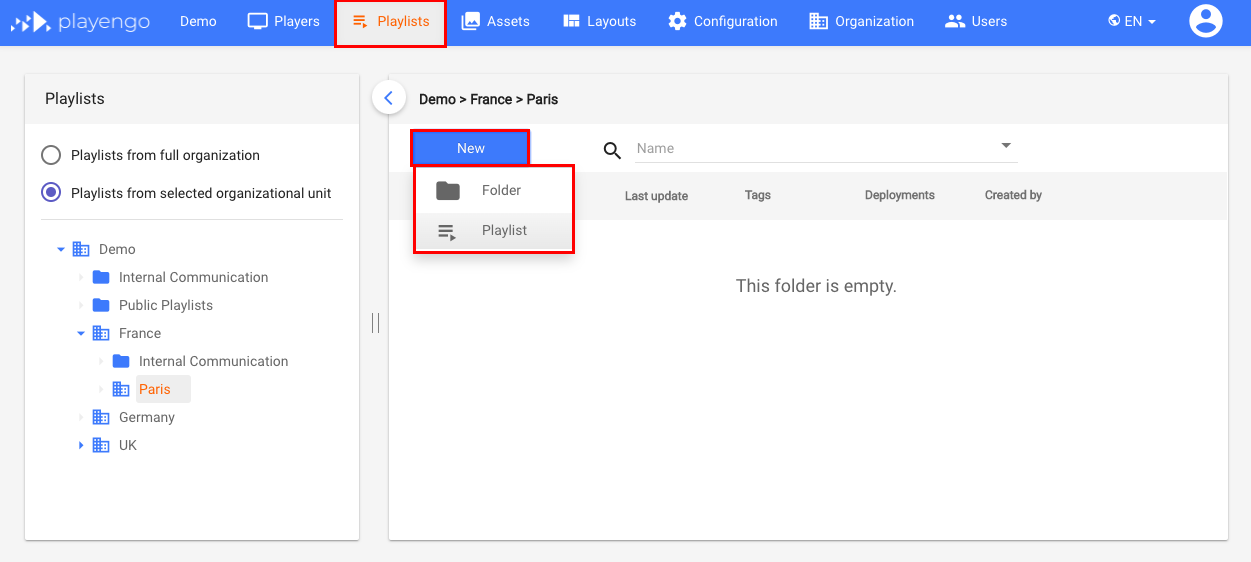
1. In the Playlists tab, click the New button, then select Playlist.
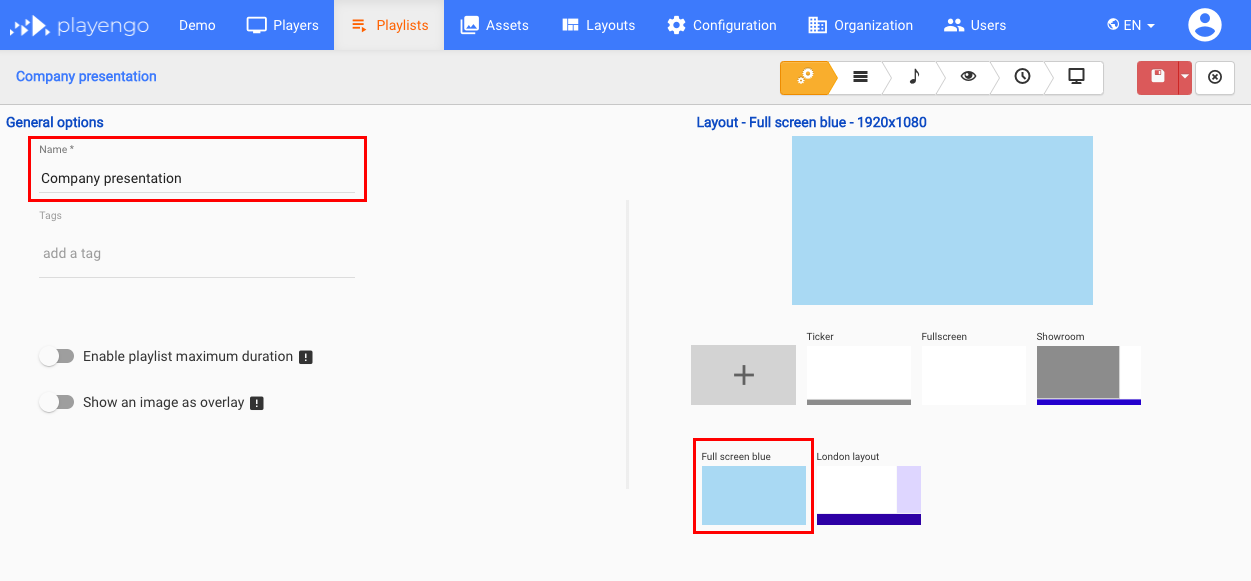
2. Name your playlist and then choose a layout.
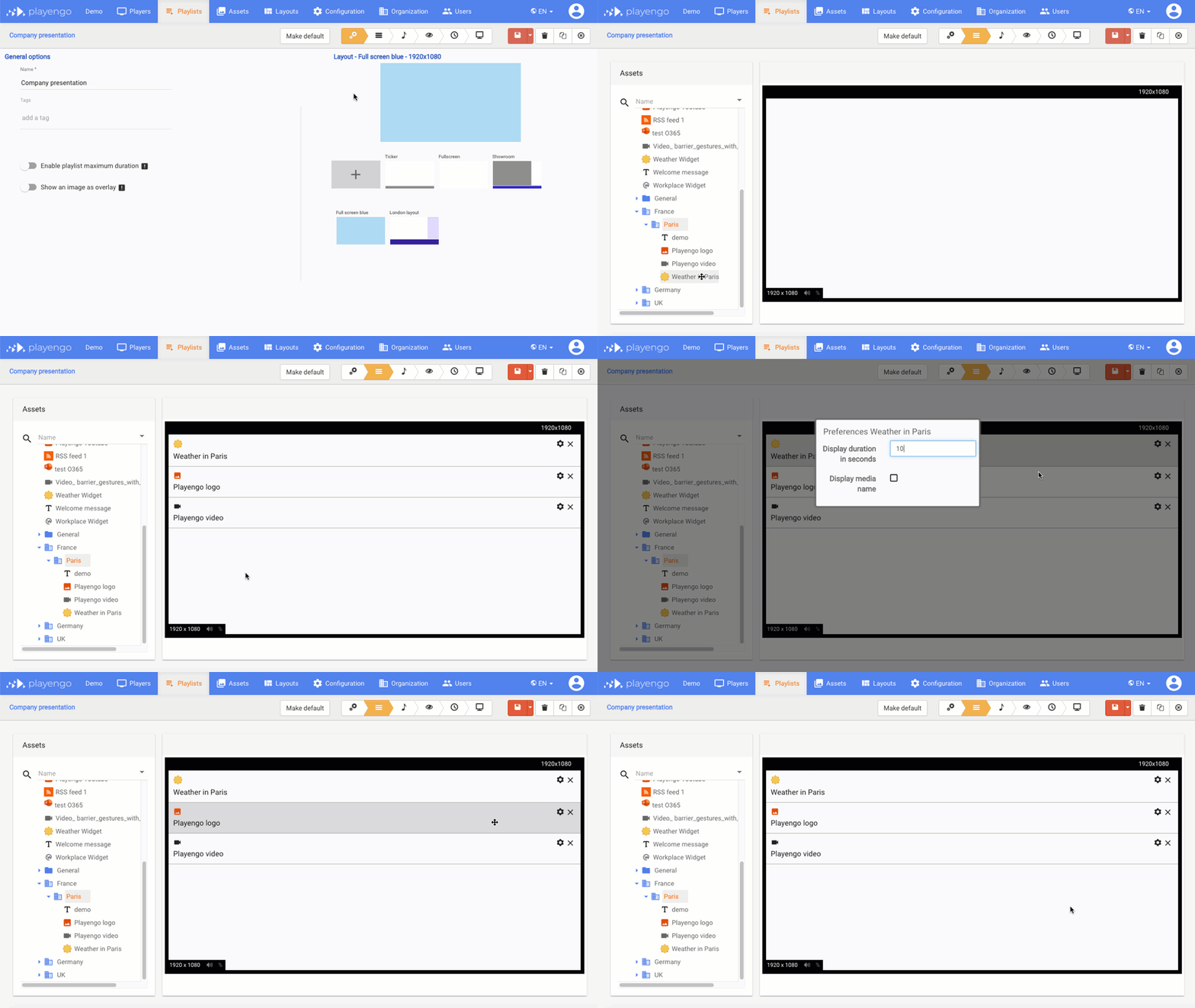
3. Select the Assets stepper in the Players tab.
4. Drag the assets you want to add to your playlist on to the player, and select the duration of each asset.
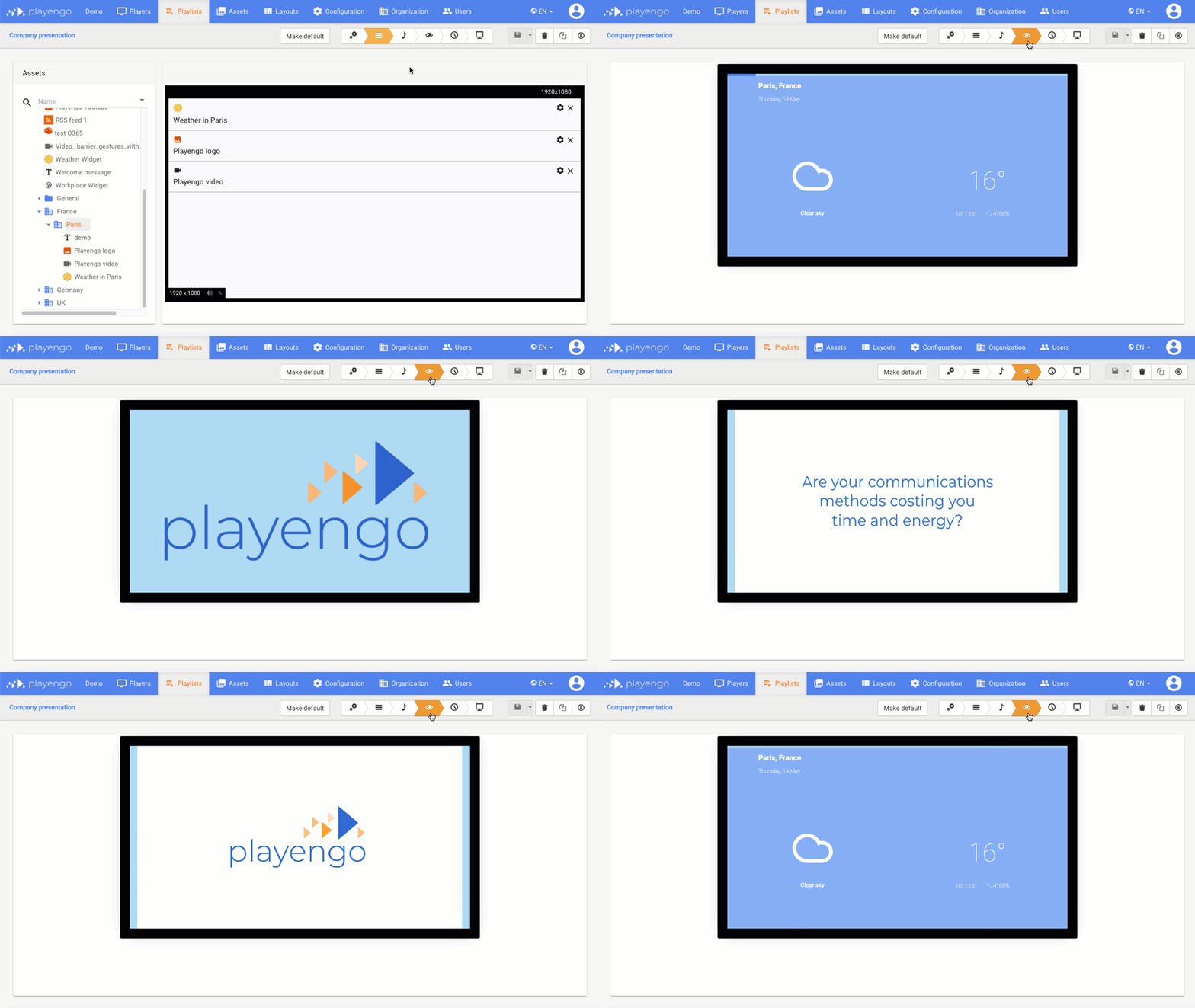
5. Select the Preview stepper in the Players tab. Each asset in your playlist is displayed for 5 seconds.
Note: Remember you can always go back to a previous step to edit your playlist.
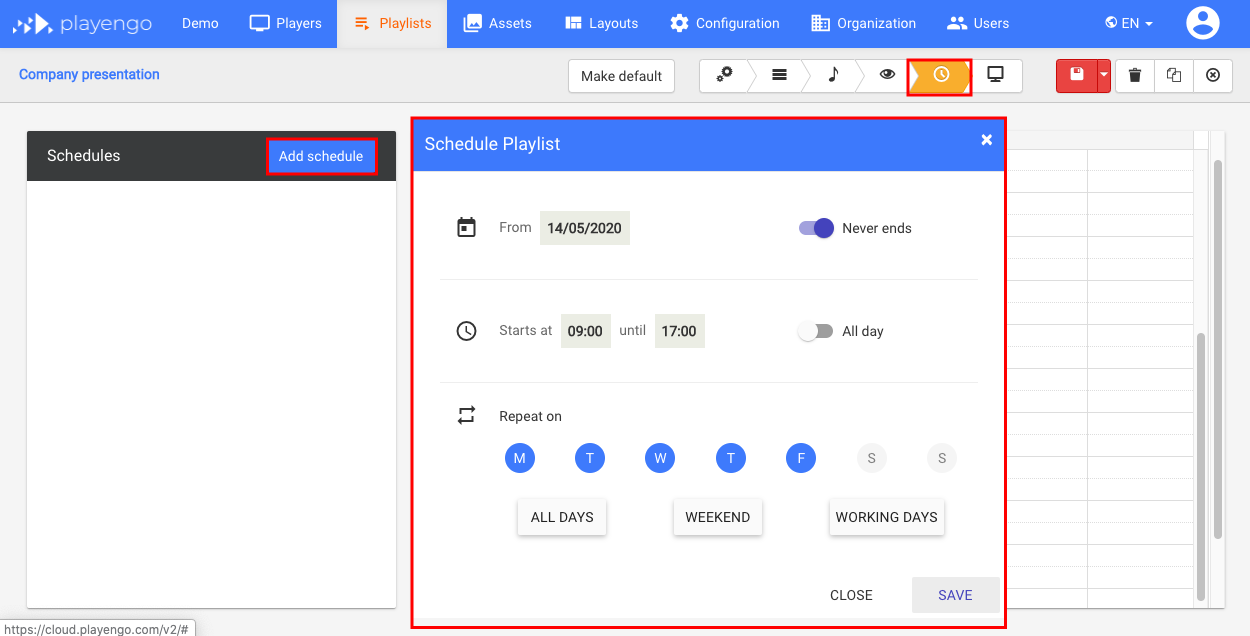
6. Select the Calendar stepper in the Playlists tab.
7. The Schedule Playlist dialog opens. Choose:
- the start and end date for your playlist - select Never ends if you don’t want an end date for your playlist
- the time of day the playlist will start and end
- the days of the week you want the playlist to play
8. Click Save.
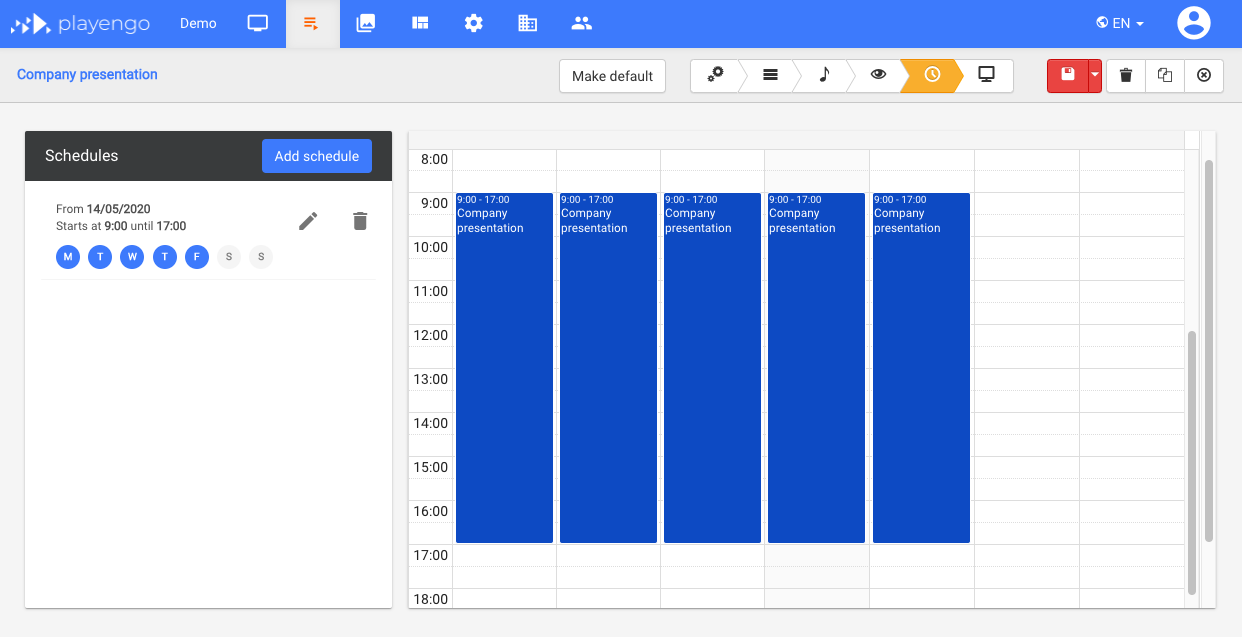
Your schedule is displayed.
Deploy your playlist to a player
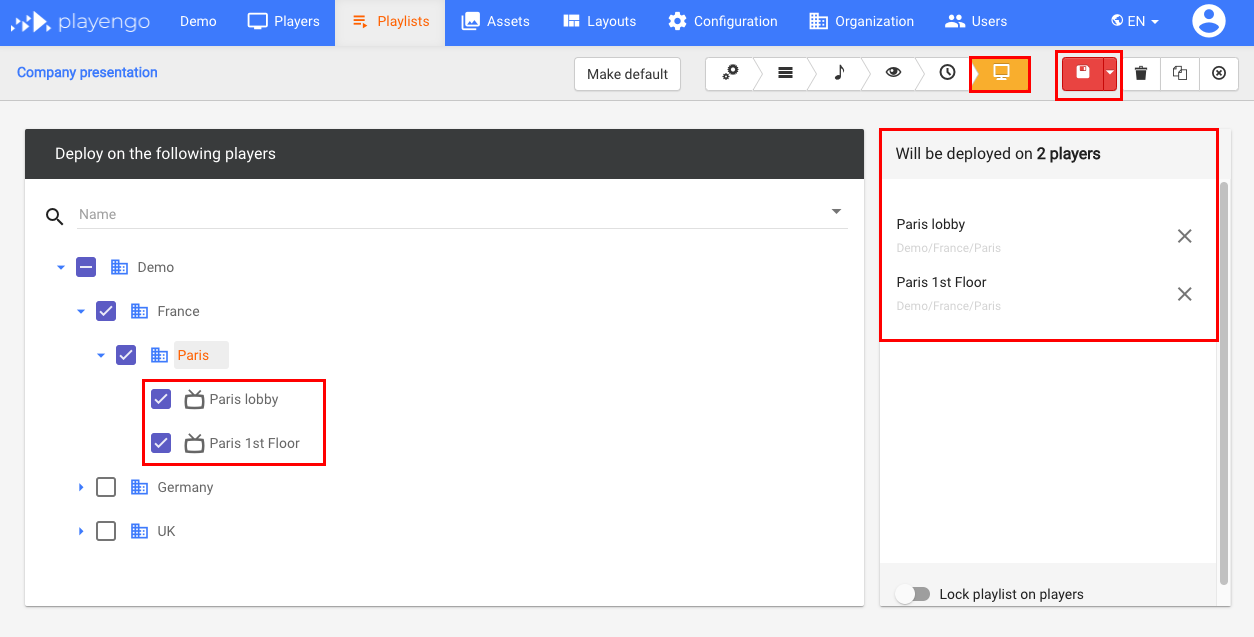
1. Select the Players stepper in the Playlists tab.
2. Select the players on which you want to play your playlist. They are displayed in the right panel.
3. Click the Save button.
Your playlist will be displayed on your screens according to your schedule.
Comments
0 comments
Please sign in to leave a comment.