
You can add YouTube videos as assets.
Note: This content is streamed, so each player consumes bandwidth. The quality of the image displayed depends on the amount of bandwidth available at any given moment. If you don't have sufficient bandwidth, you may want to consider uploading local MP4 files instead. Learn more: Assets: videos, images, audio files and PDF files.
Create YouTube assets
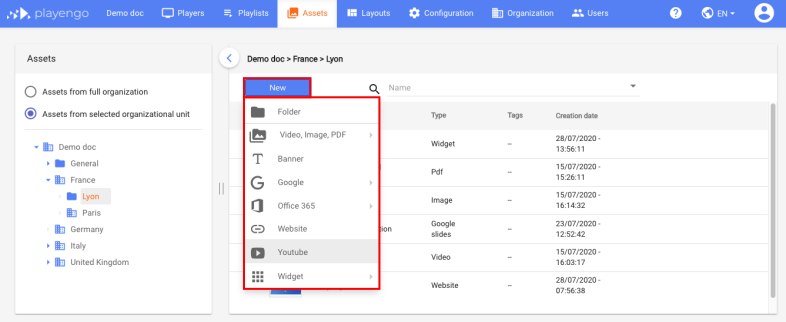
1. Open the Assets tab and select the required folder in the left panel.
2. Click New and select YouTube in the menu.
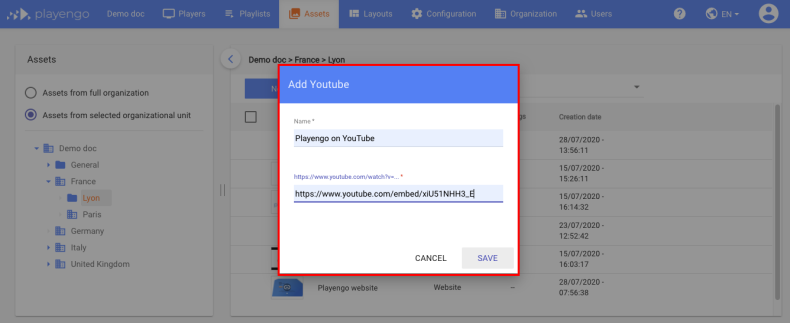
3. In the Add YouTube dialog:
- Give your YouTube asset a name.
- Enter the URL of your YouTube video.
4. Click Save.
Your YouTube asset is now displayed on your Players.
Edit YouTube assets
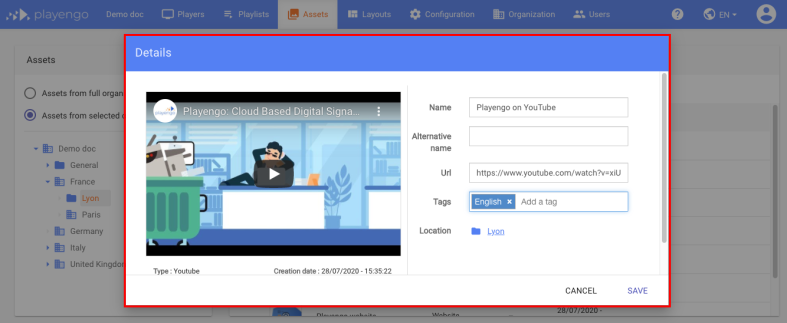
1. Click the YouTube video you added to your list of assets. The Details dialog opens.
2. If required, you can:
- change the name or URL of the YouTube asset
- add tags
- preview the video
3. Click Save.
Comments
0 comments
Please sign in to leave a comment.