
Add websites as assets
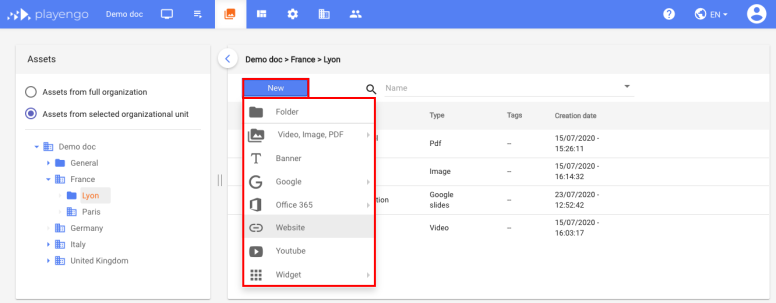
1. Open the Assets tab and select the required folder in the left panel.
2. Click New and select Website in the menu.
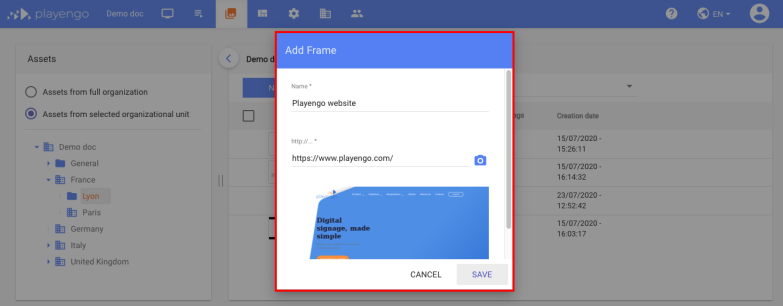
3. In the Add Frame dialog:
- give your website a name
- enter the URL
- if required, click the camera icon to generate an image preview of the website in the dialog
4. Click Save. The website is now displayed on your players.
Edit website assets
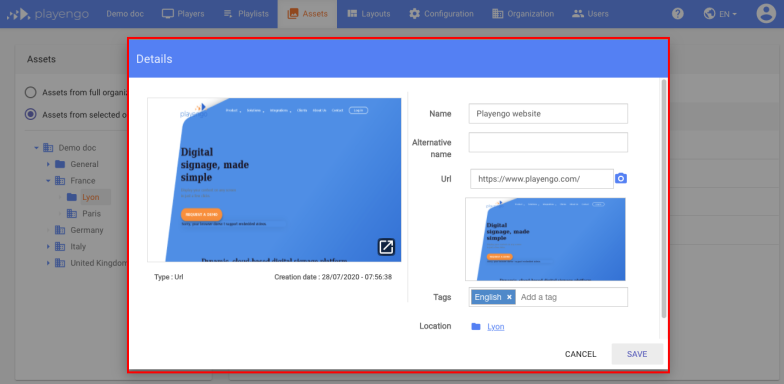
1. Click your website asset.
2. In the Details dialog, you can:
- change the name of your website asset
- change the URL
- add tags
- generate a preview
- change the location of your website asset
3. Click Save.
Comments
0 comments
Please sign in to leave a comment.