
The Twitter search widget lets you broadcast the results of a Twitter search. The widget broadcasts content from the last seven days. If there are no new tweets in seven days, nothing is displayed.
Important: You must authenticate yourself through a Twitter account because this widget uses APIs. You don't have to use the Twitter account you want to broadcast.
Learn more about displaying Twitter feeds: Assets: Twitter feed widget.
Add Twitter searches as assets
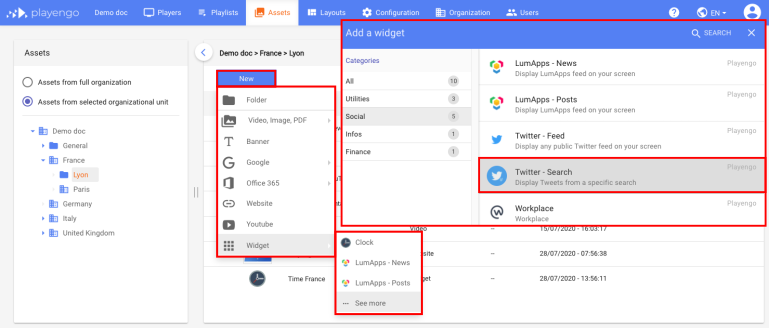
1. Open the Assets tab and select the required folder in the left panel.
2. Click New and select Widget > See more in the menu.
3. In the Add a widget dialog, scroll down, select Social or do a search. Select the Twitter – Search widget.
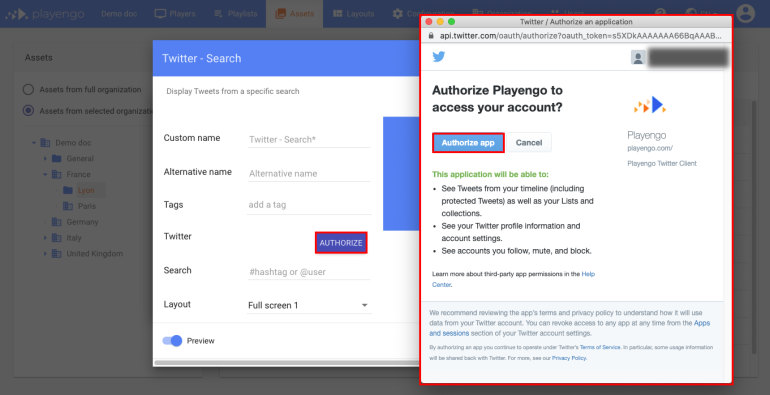
4. In the Twitter – Search dialog, click Authorize.
5. Sign in to your Twitter account and press Authorize app.
Note: You don't have to use the Twitter account you want to broadcast.
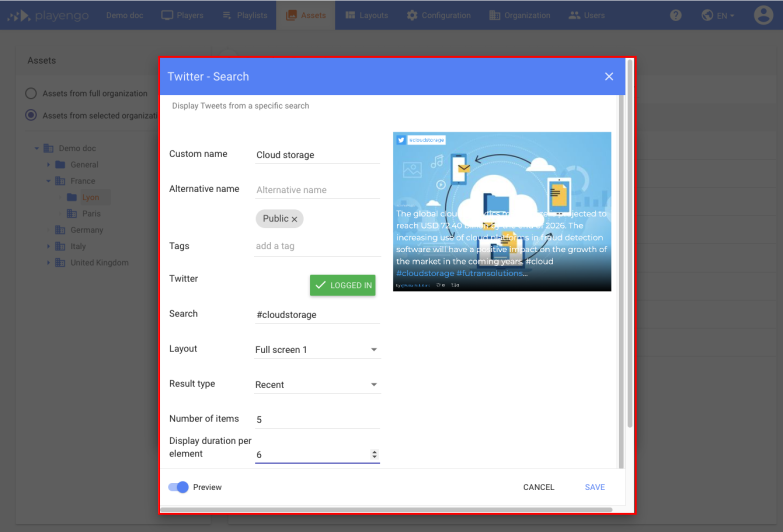
6. In the Twitter – Search dialog define the search item. This can be a #hashtag or a @user. Learn more: How Twitter searches work.
You can also choose the:
- type of layout for the tweets: Full screen (two options), Cards or Tiles
- result type: All, Recent or Popular
- number of tweets to display
- duration each tweet is displayed
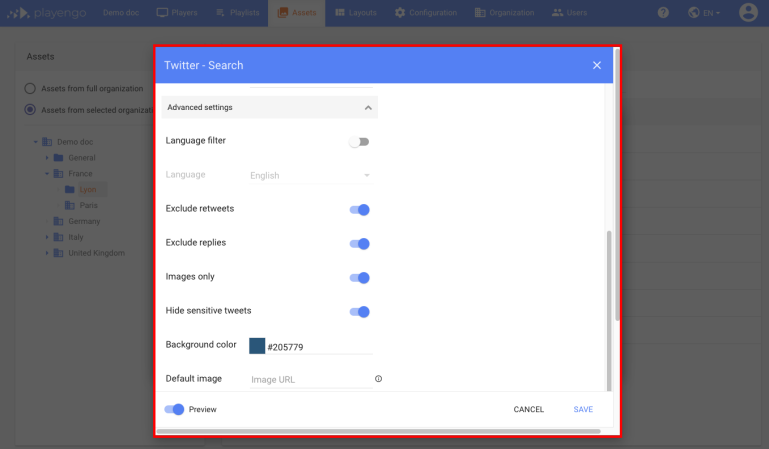
7. Open the advanced settings. You can:
- define a language filter to display only tweets in a given language
- exclude retweets (recommended)
- display only tweets with images (recommended)
- exclude replies (recommended)
- hide sensitive tweets (recommended)
- define a background color or image
How Twitter searches work
Below is an outline of how Twitter searches work.
| Search phrase |
Twitter results |
|
|
|
| from:google | This shows only tweets sent by the user @google |
This shows all tweets that mention the user @google |
|
| "Mother's Day present" | This shows all tweets that contain the exact phrase "Mother's Day present". For example, a tweet that has "Mother's Day" and "present" separately isn't shown. |
| Mother's Day present | This shows tweets that contain the words "Mother's" and "Day" and "present" in any order or combination. |
| "Mother's Day" OR "Mom's Day" | This shows tweets that contain the words "Mother's Day" and tweets that contain the words "Mom's Day". |
| ginger -biscuit | This shows tweets containing the word "ginger" but not tweets that contain the words "ginger and "biscuit". |
| "Presidential election" from:POTUS | This shows all tweets that contain the words "Presidential election" but not tweets that contain "Presidential election" and are sent from the user @POTUS. |
| "Happy hour" -RT -from:beercompany | This shows tweets that contain the words "Happy hour", but excludes retweets and excludes any tweets from the user @beercompany. |
| from:happydogs filter:images | This shows tweets from the user @happydogs, but only if they contain an image. |
| from:myshop -filter:links | This shows tweets from the user @myshop, but excludes tweets that contain links. |
Comments
0 comments
Please sign in to leave a comment.