
Add weather widgets as assets
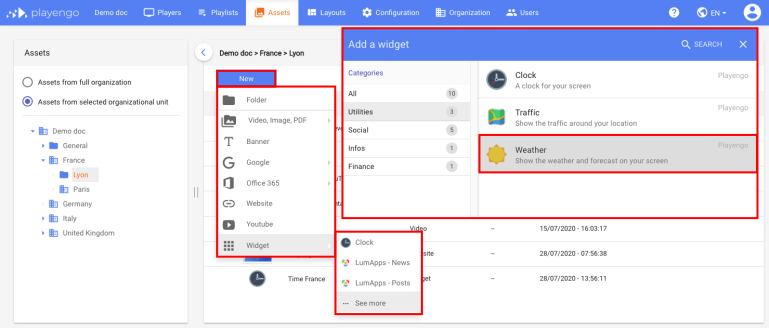
1. Open the Assets tab and select the required folder in the left panel.
2. Click New and select Widget > See more in the menu.
3. In the Add a widget dialog, scroll down, select Utilities or do a search. Select the weather widget.
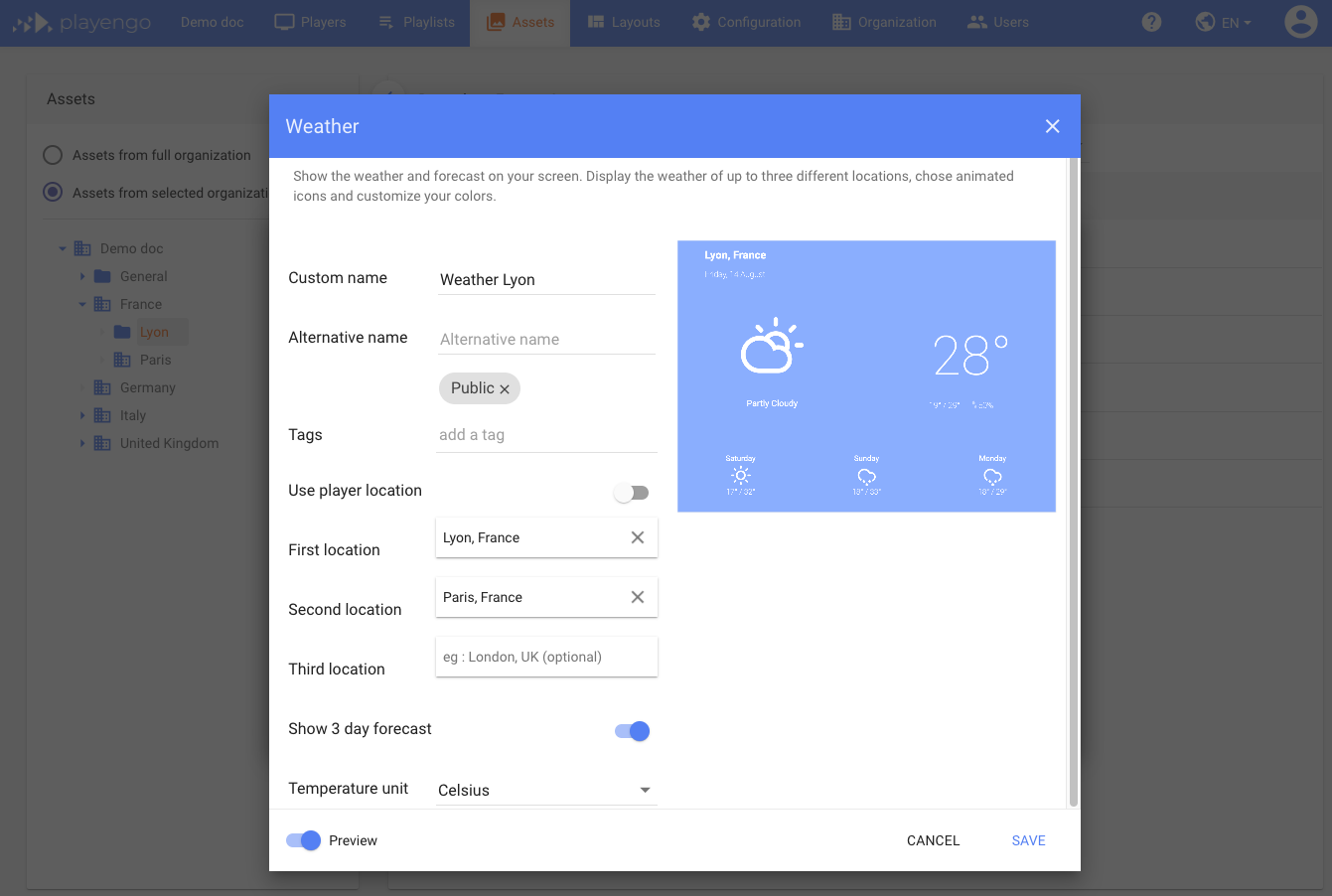
4. In the Weather dialog, give your weather widget a name. You can also:
- add a tag
- define whether to use the Player’s location (default) or select one or more other locations
- choose to show a three-day forecast
- select the unit of temperature
5. Click Save.
Advanced settings for weather widgets
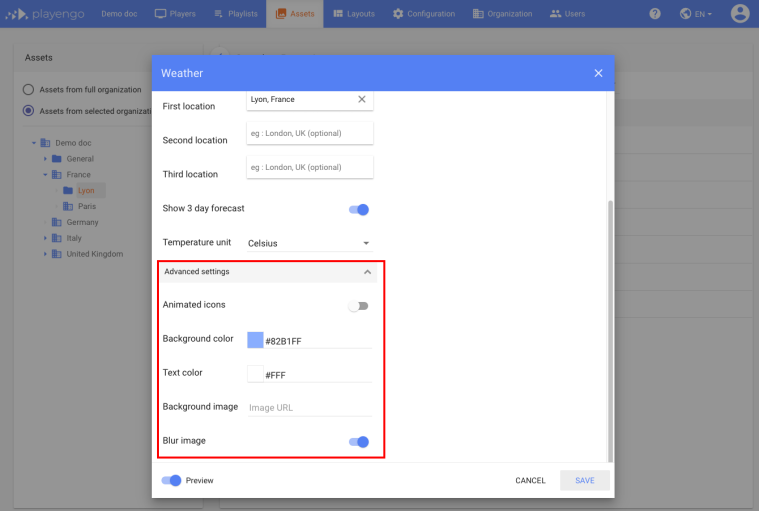
1. In the Weather dialog, open the advanced settings.
2. You can:
- animate the weather icons
- change the default background color
- change the default text color
- add a background image
- define whether to blur the image – this may improve the contrast if you added a background image
3. Click Save.
Comments
0 comments
Please sign in to leave a comment.