
You can add a Stock price widget as an asset.
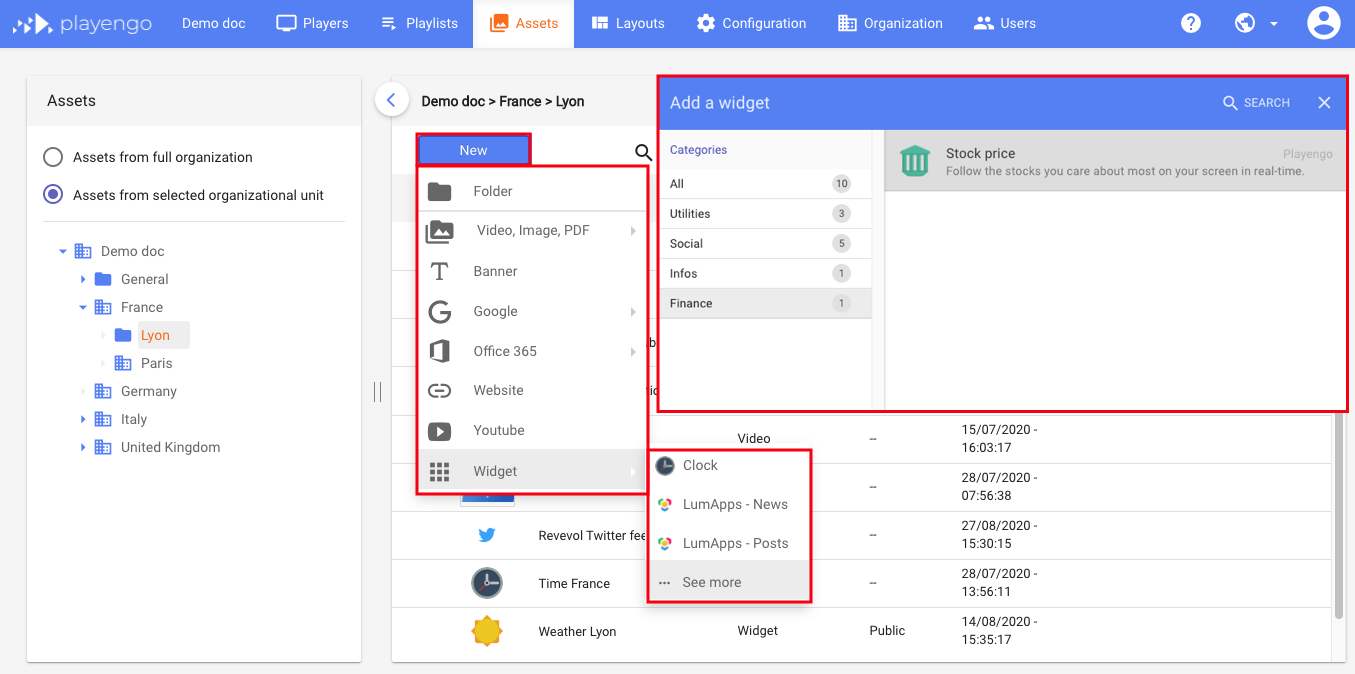
1. Open the Assets tab and select the required folder in the left panel.
2. Click New and select Widget > See more in the menu.
3. In the Add a widget dialog, scroll down, select Finance or do a search. Select the Stock price widget.
4. In the Stock price dialog:
- give your Stock price widget a name
- if required, add a tag
- add the stock symbol
Note: You can find the symbols for companies on Yahoo finance: https://finance.yahoo.com/
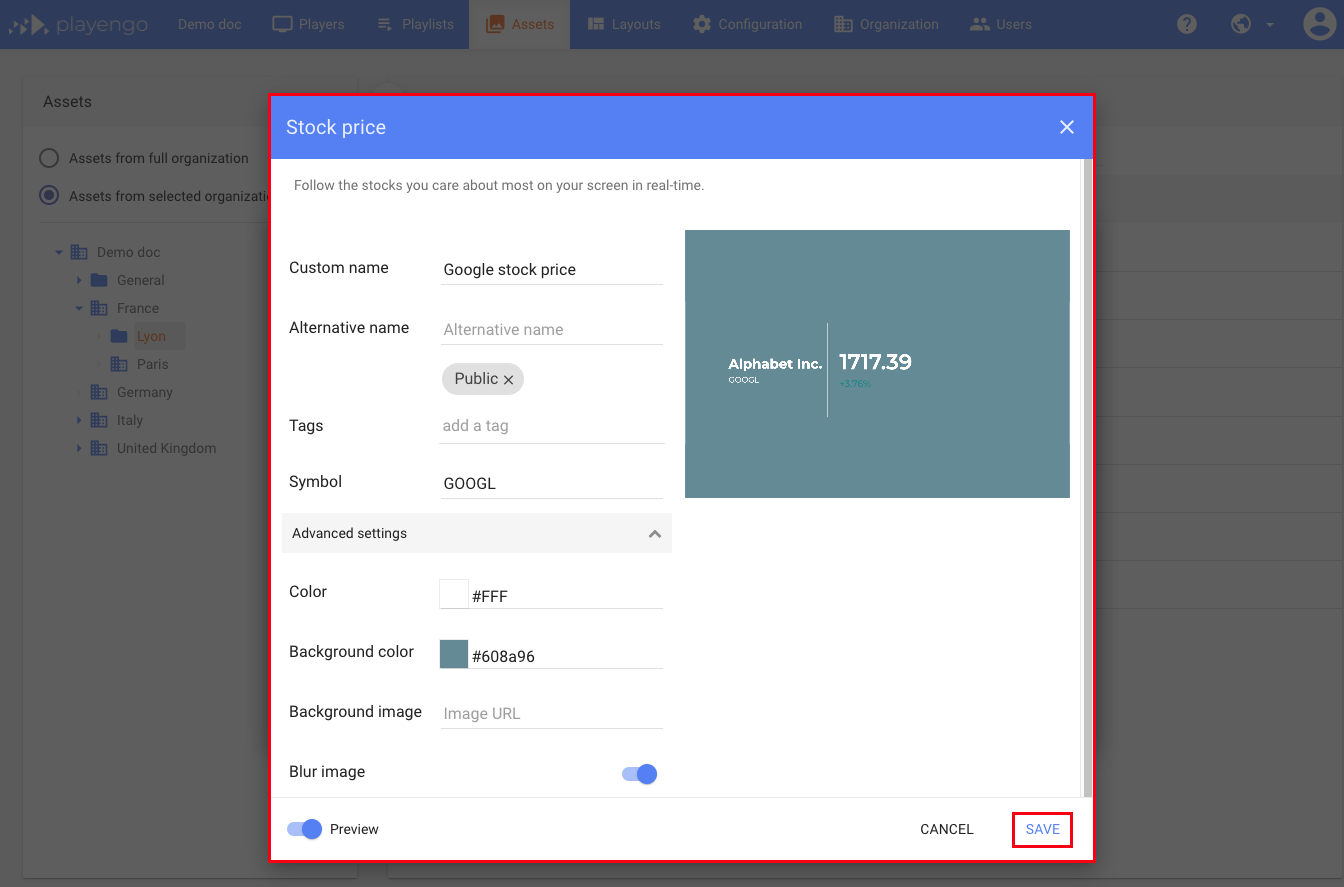
5. In the advanced settings you can:
- define a background color
- define a background image
- define whether to blur the image – this may improve the contrast if you added a background image
6. Click Save.
Comments
0 comments
Please sign in to leave a comment.